LoadTorqueVector
Load with (3D) torque vector; attached to rigidbody-based marker.
Simpler: mbs.CreateTorque adds this item, with what it needs, in one call.
Interface
Python names:
LoadTorqueVectororTorque, andVTorquefor its visualizationMarkers it acts on: those providing
Orientation: MarkerBodyRigid, MarkerNodeRigid, MarkerSuperElementRigid, MarkerKinematicTreeRigid
Parameters
The parameters of the item; in a dictionary, its type is ‘TorqueVector’:
name |
type |
size |
default |
description |
|---|---|---|---|---|
name |
String |
‘’ |
load’s unique name |
|
markerNumber |
MarkerIndex |
invalid (-1) |
marker’s number to which load is applied |
|
loadVector |
Vector3D |
3 |
[0.,0.,0.] |
(symbol: \(\ttau\)) vector-valued load [SI:N]; in case of a user function, this vector is ignored |
bodyFixed |
Bool |
False |
if bodyFixed is true, the load is defined in body-fixed (local) coordinates, leading to a follower torque; if false: global coordinates are used |
|
loadVectorUserFunction |
LoadTorqueVectorLoadVectorUserFunction |
0 |
(symbol: \(\mathrm{UF} \in \Rcal^3\)) A Python function which defines the time-dependent load and replaces loadVector; see description below; see also notes on loadFactor and drawing in LoadForceVector! Example for Python function: def f(mbs, t, loadVector): return [loadVector[0]np.sin(t1023.1415),0,0] |
|
visualization |
VLoadTorqueVector |
parameters for visualization of item |
Visualization parameters
The parameters of VLoadTorqueVector, given as visualization:
name |
type |
size |
default |
description |
|---|---|---|---|---|
show |
Bool |
True |
set true, if item is shown in visualization and false if it is not shown |
Drawing
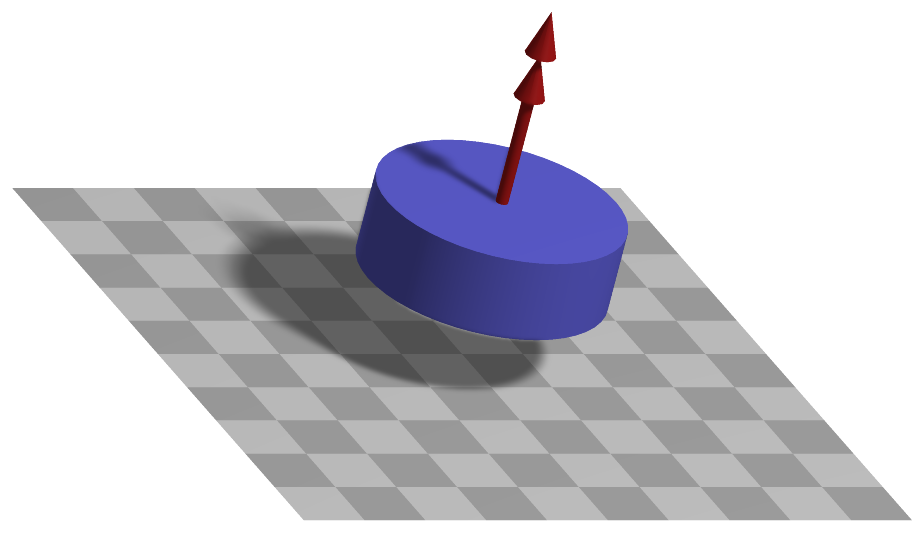
Drawn as all loads; a double arrow.
Detailed description
Load and its frame
The torque \(\ttau\) = loadVector, or the return value of loadVectorUserFunction, acts on the body
or node of the marker, which must provide an orientation (MarkerBodyRigid, MarkerNodeRigid).
With bodyFixed = False it is given in the global frame, \(\LU{0}{\ttau} = \ttau\); with
bodyFixed = True in the frame of the marker, turning with it, and transformed into the global frame
with the rotation matrix of the marker,
Generalized forces
The global torque enters the equations through the rotation Jacobian of the marker, the derivative of the global angular velocity with respect to the velocity coordinates, \(\LU{0}{\Jm_{rot}} = \partial \LU{0}{\tomega}_m / \partial \dot\qv\),
For a rigid body node, \(\LU{0}{\Jm_{rot}}\) contains the velocity transformation \(\LU{0}{\Gm}\) of its rotation parameters, which is how a torque reaches Euler parameters or angles, see the page of the node. The load factor applies as for a force.
Userfunction: loadVectorUserFunction(mbs, t, loadVector)
A user function, which computes the torque vector depending on time and object parameters, which is hereafter applied to object or node.
arguments / return |
type or size |
description |
|---|---|---|
|
MainSystem |
provides MainSystem mbs to which load belongs |
|
Real |
current time in mbs |
|
Vector3D |
\(\ttau\) copied from object; WARNING: this parameter does not work in combination with static computation, as it is changed by the solver over step time |
return value |
Vector3D |
computed torque vector |
Example:
from math import sin, cos, pi
def UFforce(mbs, t, loadVector):
    return [loadVector[0]*sin(t*10*2*pi),0,0]
Mini example
#a torque about z spins a rigid body up
inertia = InertiaCuboid(density=1000, sideLengths=[0.4,0.2,0.1])
node = mbs.AddNode(NodeRigidBodyEP(referenceCoordinates=[0.5,0.2,0.1]+eulerParameters0))
body = mbs.AddObject(ObjectRigidBody(nodeNumber=node, mass=inertia.Mass(),
                                     inertia=inertia.GetInertia6D()))
mBody = mbs.AddMarker(MarkerBodyRigid(bodyNumber=body, localPosition=[0,0,0]))
mbs.AddLoad(LoadTorqueVector(markerNumber=mBody, loadVector=[0,0,1]))

mbs.Assemble()
mbs.SolveDynamic()

#angular velocity = M/J_zz*t at t=1
Jzz = inertia.GetInertia6D()[2]
exu.sys['testResult'] = mbs.GetNodeOutput(node, exu.OutputVariableType.AngularVelocity)[2]*Jzz #1, to the accuracy of the time integration
Examples (Ex) and TestModels (TM) that show this item, with weblink to github: tutorialRigidBodyCreate.py (Ex), SliderCrank.py (Ex), rigidBodyIMUtest.py (Ex)